Introduction
Claude AI for business is not a single product, it is set of products i.e a product eco-system — the Claude chat app with Projects and Skills, Cowork desktop automation, Claude Code, and the API — that companies use to draft, analyze, and automate work across sales, marketing, finance, legal, operations, and customer support.This guide shows how to use Claude AI for business step by step: which Claude product to start with, what each plan costs, and how to deploy it in each department.
Most businesses today are not losing to better-funded competitors. They are losing to better-organized ones — teams that have stopped doing manually what AI can handle in minutes. A 2025 IBM study of 3,500 senior executives found that 66% of organizations have already achieved significant operational productivity improvements using AI, with 42% expecting full ROI within the next 12 months.
Claude AI, built by Anthropic, is where a growing number of those businesses are placing their bets. By 2026, 70% of Fortune 100 companies use Claude, and Anthropic reached $14 billion in annualized revenue in February 2026 — a 14x increase in 14 months.
This guide gives you the complete playbook: what each Claude product does, which one to start with based on your business size, and exactly how to deploy it across sales, marketing, finance, legal, operations, and customer support.
What Is Claude AI for Business?
Claude for business is the umbrella term for Anthropic’s paid business offerings — the Pro plan for individual operators, the Team plan for companies of 2–200 people, the Enterprise plan for organizations that need governance and compliance controls, and Claude for Small Business, a pre-configured workflow layer available inside Claude Cowork on Team and Enterprise plans. There is no single product called “Claude Business”; you choose the tier that matches your company size, data-security requirements, and how deeply you want Claude embedded in daily operations. If you searched for “Claude for Work” — that is Anthropic’s official name for the Team and Enterprise tiers together.
The decision rule most businesses need: one person → Pro ($20/month — the same underlying models the Fortune 10 run). Handling client or confidential data → Team is the floor, because paid organizational tiers never train on your inputs. Regulated industry → Enterprise, for the audit and compliance controls. The full plan-by-plan comparison later in this guide breaks down exactly what each tier includes.
The Claude AI Product Ecosystem
Most guides treat Claude as a single chatbot. That misses the point entirely. When a business evaluates Claude in 2026, it is choosing an entry point into a layered product ecosystem. Understanding the difference between each product determines how much value you actually get — and how fast.
Claude ai — The Starting Point for Every Business
The web, iOS, Android, and desktop chat interface is where most business users start. But it is not just a chatbox.
Claude.ai includes Projects — persistent workspaces that hold your brand guidelines, templates, and context across every session. It includes Skills — reusable instruction sets that teach Claude your voice and processes. It includes Plugins — integrations with Slack, Google Drive, Notion, and dozens of other tools. And it includes web search, deep research mode, file and image upload, and memory that carries context across conversations.
Best for: solopreneurs, consultants, freelancers, and any business user doing day-to-day writing, research, document review, and analysis.
Claude Cowork — Desktop Automation Without Code
Claude Cowork is Anthropic’s desktop agent for non-developers: it reads and writes files on your computer, completes multi-step tasks from plain-language instructions, and can repeat them on a schedule. It is available on Pro, Max, Team and Enterprise plans for macOS and Windows (x64) and is currently a research preview.
Three features make Cowork particularly powerful for non-technical business users:
Dispatch lets you assign tasks from your phone and come back to finished work on your desktop. Claude operates your computer while you are away — pulling data from local spreadsheets, searching your email, drafting documents, organizing files.
Scheduled Tasks let you create recurring automations: daily briefings compiled from your email and Slack, weekly reports from Google Drive, monthly summaries from connected data sources. You type /schedule in a Cowork session, describe the task once, and Claude runs it at the cadence you choose — delivering finished outputs every time.
Computer Use (currently macOS only, research preview for Pro and Max subscribers) lets Claude physically operate your screen — opening apps, filling forms, navigating dashboards — for any tool that does not have a dedicated integration.
Best for: operations teams, business owners managing multiple workflows, and anyone who wants AI to handle repetitive multi-step tasks without hiring a developer.
→ Get started with Claude Cowork
→ Set up Dispatch
→ Schedule recurring tasks
Claude Code — For Developers and Technical Founders
Claude Code is Anthropic’s terminal-based agentic coding tool. It operates directly inside your development environment — writing, reviewing, debugging, and refactoring code across full codebases autonomously. For non-developers, Claude Code Desktop provides a graphical interface, and vibe coding — describing what you want built in plain English — means business founders can ship working internal tools without writing a single line of code manually. Claude Code for business isn’t only for developers: technical founders and operations teams use it to automate scripts, clean spreadsheets and build internal tools without a dev hire
Best for: developers, technical founders, and non-technical business owners who want to build custom workflows without external developers.
Claude API — The Intelligence Layer for Custom Deployments
The Claude API is how businesses embed Claude into their own products, internal tools, and automated pipelines. Many of the tools your team already uses are built on top of it. For businesses building custom solutions, the API supports Anthropic’s Model Context Protocol (MCP) — which lets Claude connect to any internal database, CRM, or system of record and execute workflows end-to-end without human intervention. Available directly through Anthropic, AWS Bedrock, and Google Cloud Vertex AI.
Best for: businesses with development resources building custom AI tools, and organizations that want Claude embedded inside an existing product or workflow.
| Product | Best For | Requires Coding? | Plan |
|---|---|---|---|
| Claude AI | Daily work: writing, research, analysis | No | Free / Pro / Team |
| Claude Cowork | Multi-step desktop automation | No | Pro / Max / Team / Enterprise |
| Claude Code | Coding, building tools, vibe coding | Optional | Pro / Max / Team / Enterprise |
| Claude API | Custom builds and embedded integrations | Yes (or via partner tools) | Pay-per-use |
Is Claude Safe for Business Data? Privacy, Training and Security
Does Claude train on my business data? It depends on the plan. On Team, Enterprise and the API (Anthropic’s Commercial Terms), Anthropic does not train on your inputs or outputs by default. On individual Free, Pro and Max accounts, users choose whether their chats may be used to improve Claude: if you allow it, data can be retained for up to five years, and if you decline, the existing 30-day retention applies. If you handle client or confidential data, use a Team or Enterprise workspace rather than a personal account.
How to Use Claude AI for Your Business
Most business users never go beyond a blank chat window — which is why they conclude Claude is just another chatbot. Claude.ai only becomes genuinely useful once you set it up properly. Here is how to do it in about 20 minutes.
Set Up Projects for Every Client, Brand, or Workflow
A Claude Project is a persistent workspace that stores your instructions and reference files, so every chat starts with your business context instead of a blank page. When you create a Project, you upload context that Claude keeps for every conversation inside that workspace — brand guidelines, client background, templates, terminology, and process notes.
Below is an example Project-instructions block
Role: You are the marketing assistant for [Company], a [size/industry] business.
Audience: [customer type]. Tone: [3 adjectives]. Never: [banned phrases/claims].
Always: cite the source file for any number you use; ask before assuming.
Output format: [bulleted brief / 150-word email / table].
A solopreneur might have one Project per client. A marketing team might have one per campaign or content vertical. Once your context is uploaded, Claude stops producing generic outputs and starts producing outputs already aligned to your business — without you having to re-explain anything each session. In May 2026 anthropic has announced Claude for Small Business which is perfect suite for solopreneurs and small business looking to advantage of Claude.ai
→ How to use Projects in claude.ai
→ Claude for Small Business
Build a Skill for Your Most Common Task
A Skill is a reusable set of instructions Claude loads when a task matches, so recurring deliverables come out in the same format every time. Your email writing Skill specifies your tone, structure, preferred phrases, and phrases to avoid. Your proposal Skill includes your pricing format, standard terms, and executive summary template. Once built, every output Claude produces for that task follows your standard — without re-explaining it each time.
Connect Claude AI to the Tools Your Team Already Uses
Claude.ai integrates natively with Slack, Google Workspace, Notion, Microsoft Teams, and dozens of other platforms through its plugin marketplace. Connecting these tools means Claude can search your Slack messages, reference documents from Google Drive, and produce outputs that drop directly into the systems your team already works in.
Prompting Claude AI Effectively: Four Principles
The quality of Claude’s output is directly proportional to the quality of your input:
- Give context first. Tell Claude who you are, who the audience is, and what the output will be used for before describing the task.
- Specify format explicitly. If you want a table, say table. If you want bullet points, say bullet points. Claude matches whatever format you describe.
- Set constraints. Word count, tone, what to exclude, what to emphasize. Every undefined variable gets filled with a generic default.
- Iterate, do not restart. Claude holds full context within a session. Build on each response rather than starting a new conversation.
Prompting Claude AI Effectively
| # | Use | Prompt (replace [brackets]) |
|---|---|---|
| 1 | Sales follow-up | You are a B2B sales assistant for [company]. From the meeting notes below, draft a follow-up email under 150 words: recap the client's top 3 priorities, propose one next step with a date, tone: [tone]. Notes: [paste] |
| 2 | Contract review | Review the contract below against our standard positions: [list]. Return a table: clause, risk (high/medium/low), what it says, our preferred wording. Flag anything unusual. This is for a lawyer's review, so don't give legal conclusions. |
| 3 | Weekly finance brief | Here is this week's export of [revenue/expenses]. Summarize the 5 numbers that changed most vs last week, explain drivers only from the data provided, and list 3 questions to ask my bookkeeper. |
| 4 | SOP from notes | Turn these rough notes into a step-by-step SOP with owner, tools, time per step and a 5-item quality checklist. Notes: [paste] |
| 5 | Competitor scan | Below are pricing and feature pages for 3 competitors. Build a comparison table (pricing, positioning, target customer, gaps) and end with 3 angles we could own. Pages: [paste] |
| 6 | Support replies | Using the knowledge base below, draft replies for these 5 ticket types. Keep each under 90 words, include one link, and flag any ticket that needs a human. KB: [paste] |
| 7 | Content repurposing | Turn the article below into: 3 LinkedIn posts, 1 email under 150 words, and a 60-second video script. Keep my voice: [sample]. Article: [paste] |
→ Claude prompting best practices — Anthropic docs
How to Use Claude Cowork for Business Automation
Cowork is the product most businesses have not yet discovered — and the one that will matter most for operations teams over the next 12 months. Available as a research preview for Pro, Max, Team, and Enterprise subscribers inside the Claude Desktop app on macOS and Windows.
What Cowork actually does:
- Direct local file access — Claude reads from and writes to files on your computer without manual uploads
- Sub-agent coordination — Claude breaks complex work into parallel workstreams and coordinates them
- Professional outputs — Excel spreadsheets with working formulas, formatted PowerPoint slides, structured documents
- Long-running tasks — Claude works for extended periods without context limits interrupting progress
- Connected tools — access all installed plugins and connectors from within Cowork sessions
Dispatch: Assign From Your Phone, Come Back to Finished Work
Dispatch is a persistent conversation thread that syncs between your phone and desktop. You assign Claude a task from your phone — “pull this week’s sales data from the spreadsheet and compile a summary report” — and Claude executes it on your desktop using your local files, connected tools, and installed apps. You come back to the finished output.
Important: Cowork requires your computer to be awake and the Claude Desktop app to be open. Claude cannot work on tasks if the app is closed or the device is asleep.
Scheduled Tasks: Recurring Automations Without Code
Describe a recurring task once and have Claude run it automatically at the cadence you choose. Common examples businesses are already running: daily briefings compiled from Slack and email, weekly reports drawn from Google Drive, recurring competitor research, and Monday morning decks built from the previous week’s activity. Type /schedule in any Cowork session to set one up.
→ Schedule recurring tasks in Cowork
Computer Use: Claude Operates Your Screen
Computer Use (macOS only, research preview for Pro and Max) gives Claude the ability to physically operate your computer — clicking buttons, opening applications, filling spreadsheets, navigating dashboards. Claude always asks for permission before accessing a new application. The practical value: any tool without a dedicated Claude integration can now be automated through screen control.
Limitation: Computer Use is currently macOS only. Windows support for Cowork itself launched February 2026, with Computer Use for Windows expected on the near-term roadmap.
→ Computer use in Cowork — official guide
How to Use Claude AI Agents — Connect Claude to Your Business Tools
An AI agent is Claude operating with access to external tools — your CRM, database, email system, project management platform — executing multi-step workflows end-to-end without constant supervision. For most solopreneurs and SMB teams, agents are the step between “using Claude for tasks” and “Claude running parts of your business.”
Model Context Protocol (MCP): The Universal Connector
Anthropic’s Model Context Protocol is an open standard that lets Claude connect to any external system in a consistent, secure way. If a tool has an MCP server built for it — and hundreds do, including Google Drive, Slack, GitHub, Notion, Xero, and more — Claude can read from it, write to it, and act on it without custom development work.
For claude.ai and Cowork users, MCP powers the connectors and plugins already available in the interface. For API users, MCP enables fully autonomous pipelines where Claude receives a trigger, gathers data from connected systems, processes it, and writes results back — without human intervention.
→ Model Context Protocol — Anthropic docs
What You Can Automate Without a Developer
- Connect Claude to Google Drive or Notion to automatically summarize new documents and file meeting notes
- Connect Claude to your inbox to triage emails, draft responses, and flag urgent items each morning
- Connect Claude to Slack to produce end-of-day summaries and surface unanswered questions
- Connect Claude to your CRM to update records, draft follow-up sequences, and flag stale deals
- Connect Claude to Xero to answer cash flow questions, flag overdue invoices, and compile reports — Xero’s multi-year deal with Anthropic (March 2026) makes this available directly inside both platforms
When to Involve a Developer
Most claude.ai and Cowork automations require no development. A developer becomes useful when you need Claude embedded inside a custom product, when you are processing high volumes through the API, or when you need Claude connected to proprietary internal systems without existing MCP servers.
→ Claude Agent SDK — Anthropic docs
Is Claude AI a Real Alternative to Process Automation Software?
Short answer: for judgment-heavy workflows, yes. For high-volume transactional pipelines, not yet — and pretending otherwise is how automation projects fail.
Where Claude replaces automation software. Traditional tools like Zapier, Make, or RPA platforms execute rigid if-then logic: when X happens, do Y. They break the moment an input deviates — a differently formatted invoice, an ambiguous email, a field name change. Claude with MCP connectors handles exactly these cases because it interprets rather than pattern-matches: triaging a support inbox where every message is worded differently, extracting terms from contracts that follow no template, or preparing a weekly report that requires actual synthesis rather than data copying.
Where dedicated automation software still wins. Deterministic, high-volume, low-judgment pipelines — syncing 5,000 e-commerce orders a night, mirroring database records between systems, firing a Slack notification on every form submission. These need guaranteed execution at fixed per-task cost, which purpose-built automation delivers more cheaply and predictably.
What mid-market operations teams actually deploy is the hybrid: automation software as the plumbing that moves data, Claude as the intelligence layer that makes decisions inside those flows. The automation routes the invoice; Claude reads it, matches it against the PO, and flags the discrepancy. That combination — not a rip-and-replace — is where the ROI lives.

How Claude AI Can be Applied Across Core Business Functions
Most businesses do not deploy AI by feature — they deploy it by department. Below is how the full Claude ecosystem maps to each core business function: what you do in claude.ai today, what Cowork automates so you do not have to, and where Claude agents connect to your existing tools to close the loop entirely.
| Function | Claude.ai | Cowork | Agents via MCP |
|---|---|---|---|
| Sales | Research, drafts, proposals | Scheduled outreach reports, CRM summaries | Connect to CRM, email, LinkedIn |
| Marketing | Content, SEO, repurposing | Scheduled content briefs, weekly reports | Connect to Drive, CMS, analytics |
| Finance | Report summarization, commentary | Scheduled financial briefings | Connect to Xero, spreadsheets |
| Legal & Compliance | Contract review, policy drafts | Scheduled regulatory monitoring | Connect to document systems |
| Operations & HR | SOPs, onboarding, meeting notes | Scheduled team briefings, recurring docs | Connect to Slack, HR tools |
| Customer Support | Ticket drafts, template libraries | Scheduled ticket analysis reports | Connect to helpdesk, CRM |
Claude AI Product Ecosystem Application in Sales
The problem: Sales teams lose hours every week to admin work — CRM updates, follow-up drafts, proposal writing, call preparation. None of it requires human judgment. All of it consumes human hours.
How Claude AI Can be Applied in Sales
Claude.ai handles the knowledge and writing work in sales — the tasks you do once at a desk before or after a call.
- Account research. Paste a prospect’s LinkedIn profile, company about page, and any recent news. Ask Claude to identify pain points, relevant hooks, and likely objections. What previously took 10 minutes per account takes 90 seconds.
- Outreach drafts. Give Claude a working template, company-specific context, and constraints — under 75 words, reference their recent funding, end with a question not a CTA. The output is 80% ready to send after light editing.
- Proposal generation. Feed Claude your deal notes, pricing template, and the prospect’s stated priorities. It produces a structured draft ready for human refinement — not from scratch.
- Objection handling prep. Before a discovery call, ask Claude what objections the prospect will likely raise based on their role, company size, and any available context.
3-step workflow: 1) Paste prospect context into a Claude Project set up for your sales process. 2) Ask Claude to identify pain points, hooks, and likely objections. 3) Ask Claude to draft a first-touch email with your constraints — review, edit, send.
How Cowork Can be Applied in Sales
Cowork handles the recurring, multi-step sales admin that currently falls through the cracks or gets done inconsistently.
- Weekly pipeline summaries. Set a scheduled task that pulls deal data from your connected CRM or spreadsheet every Monday morning and compiles a structured pipeline summary — deals by stage, stale opportunities flagged, follow-ups due this week. You open your laptop to a finished report, not a blank dashboard.
- Post-call documentation. After a sales call, paste your rough notes or transcript into Cowork. It extracts action items, next steps, objection patterns, and key commitments — then writes them directly into a structured file in your deals folder.
- Batch outreach drafts. Give Cowork a list of 20 prospects and your standard research template. It researches each one using connected tools, drafts personalised first-touch emails for each, and saves them as a ready-to-review batch in your output folder.
- Proposal assembly. Give Cowork your deal brief and your proposal template stored in Google Drive. It builds the full document — pulling the right sections, inserting client-specific details, and saving a formatted draft — ready for your final review before sending.
How to Use Claude AI to Automate Sales Outreach Content
Claude agents connected to your sales stack close the loop between research, outreach, and tracking — without you touching a CRM field or copy-pasting between tools.
- CRM integration. Connect Claude to your CRM via MCP. After every call or email interaction, Claude automatically updates deal status, logs the conversation summary, and flags deals that have gone cold based on your defined criteria.
- Email integration. Connect Claude to your inbox. It monitors incoming emails from prospects, drafts responses using your style and deal context, and flags anything requiring urgent attention — all surfaced in a daily digest.
- LinkedIn + web research pipeline. Claude agents can pull public company data, recent news, and funding announcements for a list of target accounts and compile structured research briefs — automatically, on a schedule you define.
→ Claude AI for Sales: Small Business Use Case Guide
→ Claude for sales workflows — Anthropic learning hub
→ MCP connector directory — connect Claude to your CRM and email
Using Claude AI for Business Development
Business development lives or dies on research speed — and this is where Claude produces the most measurable gains. A BD workflow that traditionally takes a full afternoon compresses into under an hour:
Step 1 — Prospect research at depth. Paste a target company’s website content, latest annual report, or recent press coverage into a Project and ask Claude for a structured account brief: business model, likely pain points mapped to your offer, recent trigger events (funding, leadership changes, expansion), and three personalized opening angles. Claude’s long-context window means it can digest a 100-page annual report in a single pass — something no other mainstream assistant handles as reliably.
Step 2 — Qualification scoring. Build a Skill containing your ideal customer profile and qualification criteria (BANT, MEDDIC, or your own framework). Every new prospect brief gets scored against the same rubric, so your pipeline stops filling with leads that look interesting but never close.
Step 3 — Push results into your CRM. With an MCP connector to HubSpot or your CRM of choice, Claude writes the research summary, fit score, and recommended next action directly onto the contact record. No copy-paste, no research documents dying in a folder.
Step 4 — Draft the outreach. Because the research, scoring, and drafting happen in the same Project, the outreach email references specifics — the prospect’s actual initiative, their actual language from their actual materials — rather than template filler.
The compounding effect matters more than any single step: a BD rep running this loop researches 5–10x more accounts per week at higher personalization quality, not lower
Claude AI Application in Marketing
The problem: Marketing teams are permanently under-resourced relative to the content volume they need to produce. Claude does not just speed up the writing — it changes what is possible at the same headcount.
How Claude AI Enhances Small Business Marketing Strategy
Claude.ai handles the creative and strategic work in marketing — research, ideation, drafting, and positioning.
- SEO content. Claude produces structured blog posts with H2 architecture, keyword integration in strategic positions, and meta descriptions — when given a brief, a target keyword, and a word count. Treat every output as a draft that needs your specific examples and final edit before publishing.
- Content repurposing. One long-form piece becomes an email sequence, three LinkedIn posts, a short-form video script, and social captions in a single session. Tell Claude the source, the formats you need, and the character limits.
- Competitor analysis. Upload multiple competitor pages or paste their content. Ask Claude to identify their positioning angle, what they emphasize, what they omit, and where your differentiation sits.
- Brand consistency. Build a Claude Skill with your brand guidelines — tone, vocabulary, phrases to use and avoid, example outputs. Every team member working inside that Project produces aligned content without a style guide review.
3-step workflow: 1) Upload brand guidelines and target keyword to a Claude Project. 2) Ask Claude for a full draft with H2 structure, keyword placement, and meta description. 3) Add your specific examples and point of view — publish.
How Claude Cowork Can be Applied in Marketing
Cowork handles the repeatable production and reporting work in marketing that currently consumes disproportionate time.
- Weekly content calendar compilation. Schedule a Cowork task that pulls your keyword list, existing content inventory from Google Drive, and performance data from connected analytics — and compiles a structured content calendar every Monday with recommended topics, angles, and priority order.
- Batch content production. Brief Cowork on a content cluster — five related articles, all sharing a topic and internal linking architecture. It drafts all five using your brand Skill and saves them as formatted documents in your content folder. You review and refine rather than starting each one from scratch.
- Performance reporting. Schedule a weekly Cowork task that pulls data from connected analytics tools and formats it into a structured report — traffic, rankings, top performing pieces, content gaps. Delivered to your output folder every Friday before you sit down to plan the following week.
- Social media scheduling prep. Give Cowork a published article. It generates a full social posting schedule — LinkedIn, Twitter/X captions — in your brand voice, saved as a structured file your scheduler can pull from directly.
How Claude AI Agents (MCP) Can be Applied in Marketing
Claude agents connected to your marketing stack automate the distribution and tracking loop that currently requires manual tool-switching.
- Google Drive integration. Claude monitors a designated “briefing” folder in your Drive. When a new brief is dropped in, it automatically generates a content outline and saves it back to the folder for your writer to start from.
- Analytics integration. Connect Claude to your analytics platform via MCP. It monitors ranking changes, traffic drops, and content decay — flagging pages that need updating and generating a prioritised refresh list weekly.
- CMS integration. For teams using a headless CMS or WordPress with API access, Claude agents can push formatted draft content directly into the CMS as a draft, ready for editorial review — removing the copy-paste step entirely.
→ 60-Day Claude AI Marketing Rollout Plan for Small Business
→ Claude for marketing teams — Anthropic
→ MCP connectors for Google Drive and analytics
Claude AI Application in Finance
The problem: Finance teams handle exactly the kind of high-volume, precision-critical document work that Claude processes faster than any human reader. The value is not replacing financial judgment — it is eliminating the reading time that precedes it. AI-powered document processing has reduced loan approval times by up to 80% in financial services, with 90% improvement in processing accuracy across regulated industries.
How Claude AI Can be Applied in Finance
Claude.ai handles the analysis and synthesis work — the one-off document tasks that require reasoning and clear written output.
- Document summarization. Upload a quarterly report, earnings call transcript, or financial filing. Ask Claude to extract key figures, forward guidance, stated risks, and management priorities. Two hours of reading delivers its insights in two minutes.
- Financial commentary. Give Claude the raw numbers and ask it to draft board updates, investor summaries, or budget narratives in plain English — specifying your audience so Claude calibrates the level of detail accordingly.
- Scenario analysis. Ask Claude what happens to your P&L if revenue drops 15% or costs increase 10%. It produces a narrative analysis ready for a board audience — not a formula, a clear written argument.
- Audit and compliance prep. Upload compliance documentation and ask Claude to flag gaps against a specific framework — GDPR, HIPAA, SOC 2, IFRS — and produce a prioritized remediation list.
3-step workflow: 1) Upload the earnings call transcript or annual report. 2) Ask Claude to extract key metrics, management priorities, stated risks, and guidance changes vs prior period. 3) Ask Claude to reformat findings as a one-page board summary — validate figures, distribute.
How Claude Cowork Can be Applied in Finance
Cowork handles recurring financial reporting and document processing tasks that currently require manual compilation every week or month.
- Weekly financial briefings. Schedule a Cowork task that pulls from connected spreadsheets or accounting software and compiles a structured weekly P&L snapshot, cash position summary, and flagged anomalies — delivered to your output folder every Monday morning.
- Invoice and accounts receivable monitoring. Cowork connects to your Xero account (via the Anthropic-Xero partnership announced March 2026) or accounting spreadsheets, monitors overdue invoices, and compiles a weekly chasing list with suggested follow-up language for each client — ready to review and action.
- Month-end report assembly. Give Cowork your report template and the relevant data sources. It assembles the full month-end report — pulling figures, populating the template, running consistency checks across sections — and saves a formatted draft for your final review and sign-off.
- Regulatory filing summaries. When new filings or regulatory documents arrive, Cowork reads them, extracts the sections relevant to your business, and produces a plain-English summary with flagged action items.
How Claude AI Agents (MCP) Can be Applied in Finance
Claude agents connected to your financial systems automate the data movement and monitoring that currently requires manual intervention.
- Xero integration. Through the Anthropic-Xero partnership (March 2026), Claude connects directly to your Xero account inside claude.ai. It answers cash flow questions, flags overdue invoices, analyses revenue and profit performance, and suggests actions — in real time, without exporting to a spreadsheet.
- Spreadsheet and Google Drive integration. Claude agents monitor designated financial folders, flag when key figures change beyond defined thresholds, and generate alerts with context — “revenue in the North region is down 12% vs last month, which is outside your normal variance range.”
- Accounting platform pipelines. For businesses using cloud accounting software with API access, Claude agents can pull transaction data, categorise expenses, flag anomalies, and write commentary — reducing month-end close time significantly.
→ Claude AI Applications in Finance
→ Claude for financial services — Anthropic
→ Xero and Anthropic partnership — CPA Practice Advisor
→ MCP connectors for financial tools
Claude AI Application in Legal & Compliance
The problem: Legal work is expensive not because it constantly requires expert judgment — but because specialists spend most of their time reading. Claude does not replace legal expertise. It gives lawyers back the hours they were spending on reading so they can focus on the judgment that actually requires their expertise.
How Claude AI Can be Applied in Legal & Compliance
Claude.ai handles document-intensive legal tasks — the reading, comparison, and drafting work that consumes senior time.
- Contract review. Upload a contract and specify your standard position on key terms — liability caps, IP ownership, termination rights, governing law. Ask Claude to compare, flag every deviation, and rate each as high, medium, or low risk. Your legal team focuses only on high-risk items.
- Policy and agreement drafting. Give Claude a plain-language brief and an existing template. It produces a structured draft for your legal team to review rather than write from scratch.
- Regulatory monitoring. Ask Claude to summarize recent regulatory updates relevant to your industry and jurisdiction, and explain what each change means for your specific business operations.
- Due diligence. Upload data room materials. Ask Claude to surface key findings, flag anomalies, and produce a structured summary for decision-makers.
3-step workflow: 1) Upload the contract and your standard position on key terms. 2) Ask Claude to compare, flag deviations, and rate each high/medium/low risk. 3) Legal team reviews the risk summary only — reducing review time by 50%+ per contract.
How Claude Cowork Can be Applied in Legal & Compliance
Cowork handles recurring compliance monitoring and documentation tasks that currently require manual effort every cycle.
- Regulatory update monitoring. Schedule a Cowork task that runs weekly, searches for regulatory updates relevant to your industry and jurisdiction, summarizes what changed, flags anything requiring action, and saves a structured briefing to your compliance folder — automatically, every week.
- Contract processing pipeline. When new contracts arrive in a designated folder, Cowork reads each one, runs your standard review checklist, flags high-risk clauses, and produces a risk summary document — saved alongside the original contract and ready for your legal team to review.
- Compliance checklist automation. Give Cowork your GDPR, HIPAA, or SOC 2 checklist and the relevant documentation. It works through each item, flags gaps, and produces a prioritized remediation list with specific references to the source documents — saving your compliance team hours of manual cross-referencing.
- Policy document maintenance. When regulations change, give Cowork the updated regulatory text and your existing policy documents. It identifies every section that needs updating, drafts the revised language, and saves a tracked-changes version for your legal team to review.
How Claude AI Agents (MCP) Can be Applied in Legal & Compliance
Claude agents connected to your legal and compliance systems automate the monitoring and flagging that currently requires someone to manually check things regularly.
- Document management system integration. Connect Claude to your document management system. It monitors incoming contracts and compliance documents, automatically runs your review checklist, and flags items requiring attention — surfaced in a daily digest rather than discovered when someone happens to look.
- Regulatory database integration. Claude agents can connect to regulatory update services or government databases and monitor for changes relevant to your defined areas of compliance — delivering structured alerts with plain-English summaries and action items when something relevant changes.
- Audit trail automation. For businesses subject to regular audits, Claude agents can compile evidence packages — pulling relevant documents from connected systems, organizing them against audit requirements, and producing a structured evidence summary — reducing audit preparation time from weeks to days.
→ Claude for legal and finance work — Anthropic
→ MCP connector directory
Claude AI in Operations & HR
The problem: The administrative backbone of every business eats hours every week. This is also where inconsistency creates the most invisible damage: onboarding that varies by manager, SOPs nobody has updated in two years, performance reviews that read differently across the team. Claude fixes the consistency problem at scale — across claude.ai, Cowork, and connected agents.
How Claude AI Can be Applied in Operations & HR
Claude.ai handles the one-off documentation and knowledge work in operations — the tasks that require reasoning and structured writing.
- SOP creation and maintenance. Describe a process to Claude and ask it to produce a structured SOP with steps, decision points, and edge cases. When the process changes, paste the relevant section and ask Claude to update it — no rewriting from scratch.
- Onboarding materials. Give Claude the job description, team structure, and key tools and processes. Output: a structured first-week guide, role-specific FAQ, and key contacts document — ready for review.
- Meeting notes to action items. Paste a transcript or rough notes. Ask Claude to extract action items with responsible owner, deadline, and context needed to complete each. Ask it to format as a structured follow-up email — review, send.
- Job descriptions and interview frameworks. Give Claude the role requirements and seniority level. It produces a job description, role-specific interview questions, and a candidate evaluation rubric in a single session.
3-step workflow: 1) Paste your meeting transcript or rough notes. 2) Ask Claude to extract action items with owner, deadline, and context. 3) Ask Claude to format as a structured follow-up email — review, send.
How Claude Cowork Can be Applied in Operations & HR
Cowork handles the recurring operational documentation and briefing tasks that currently happen inconsistently — or not at all.
- Daily team briefings. Schedule a Cowork task that pulls from connected Slack channels, your shared calendar, and key project files every morning and compiles a structured daily briefing — what is happening today, what is overdue, what decisions are pending — delivered to your output folder before the team sits down.
- Weekly status reports. Cowork pulls from your project management tools, connected spreadsheets, and Slack activity to compile a structured weekly status report across all active workstreams — formatted to your standard template and saved for distribution every Friday.
- SOP update cycle. Schedule a Cowork task that reviews your SOP library monthly, flags documents that have not been updated in a defined period, and generates a list of documents requiring review — with a summary of what has changed in the relevant area since the last update.
- Onboarding pack generation. When a new hire is confirmed, give Cowork the role details. It assembles the complete onboarding pack from your template library — role-specific guide, company overview, tool access checklist, first-week schedule — and saves it as a formatted document ready to send.
How Claude AI Agents (MCP) Can be Applied in Operations & HR
Claude agents connected to your operations stack automate the coordination and tracking that currently requires manual chasing and checking.
- Slack integration. Connect Claude to your Slack workspace. It monitors channels for unresolved questions, pending decisions, and action items that have not been actioned — surfacing a daily digest of what needs attention before it becomes a delay.
- Project management integration. Connect Claude to your project management tool via MCP. It monitors task status, flags overdue items, identifies blockers based on dependency chains, and generates a weekly risk summary — automatically, without someone manually reviewing every board.
- HR system integration. Connect Claude to your HR platform. It monitors upcoming review cycles, probation end dates, and onboarding milestones — generating draft documentation at the right time rather than waiting for someone to remember to start it.
- Calendar integration. Connect Claude to your team calendar. It monitors upcoming meetings, pulls the relevant project context, and prepares briefing documents for each participant the day before — so every meeting starts with everyone informed.
→ Claude for business productivity and teams — Anthropic
→ Schedule recurring tasks in Cowork
→ MCP connector directory
Claude AI Application in Customer Support
The problem: Customer support is the function most immediately transformed by AI. The businesses seeing the biggest impact are not the ones that replaced their support team — they are the ones that gave their support team a Claude layer that handles first-line queries so human agents can focus on complex, high-value interactions.
How Claude AI Can be Applied in Customer Support
Claude.ai handles the knowledge and drafting work in customer support — building the tools your team uses every day.
- First-line query drafts. Given your product knowledge base and response guidelines inside a Claude Project, Claude drafts responses that agents review and send — or sends directly in automated pipelines. Response time drops from hours to minutes.
- Ticket pattern analysis. Upload or paste historical ticket data. Ask Claude to identify the five most common issue types, the language customers use to describe each, and the gaps in your current help documentation.
- Escalation summaries. When a complex case reaches a senior agent, Claude produces a structured summary — issue history, what was tried, customer sentiment, relevant context — so the agent starts informed rather than from scratch.
- Response template libraries. Ask Claude to build templates organized by issue type, product area, and customer segment — maintaining brand consistency across every agent interaction.
3-step workflow: 1) Claude receives the incoming ticket. 2) Claude drafts a response using your product knowledge base and response guidelines stored in a Claude Project. 3) Human agent reviews, approves or edits, sends — response time drops from hours to minutes.
How Claude Cowork Can be Applied in Customer Support
Cowork handles recurring customer support analysis and documentation tasks that currently get done monthly at best — or only when something breaks.
- Weekly ticket analysis. Schedule a Cowork task that pulls your support ticket data from a connected file or export, analyzes issue patterns across the week, identifies new recurring problems, and produces a structured summary with recommended help documentation updates — delivered every Monday to your support lead.
- Help documentation updates. When a new product feature launches or a recurring issue is identified, give Cowork the product notes and the affected help articles. It rewrites the relevant sections, flags what changed, and saves a reviewed draft for your team to approve and publish.
- Customer sentiment reporting. Schedule a Cowork task that processes ticket data weekly, scores customer sentiment trends, identifies accounts showing escalating frustration, and produces a flagged account list for proactive outreach — delivered before your weekly support review.
- Agent performance summaries. Cowork compiles weekly summaries of ticket volume, resolution time, escalation rates, and template usage per agent — formatted as a structured report for your support manager, without anyone manually pulling data from multiple tools.
How Claude AI Agents (MCP) Can be Applied in Customer Support
Claude agents connected to your support stack close the loop between ticket receipt, response, and system updates — removing the manual steps that slow every interaction.
- Helpdesk integration. Connect Claude to your helpdesk platform via MCP. Incoming tickets are automatically triaged by issue type, assigned a priority, matched to the relevant response template, and drafted — surfaced to the assigned agent as a ready-to-review response rather than a blank ticket.
- CRM integration. When a support interaction involves an account issue, Claude agents automatically update the relevant CRM record — logging the issue, the resolution, and any follow-up commitments — without the agent manually switching between tools.
- Knowledge base integration. Connect Claude to your knowledge base. When a new issue type is identified through ticket pattern analysis, Claude drafts the corresponding help article and submits it for editorial review — ensuring your documentation keeps pace with your product without a dedicated documentation sprint.
- Escalation routing. Claude agents monitor incoming ticket sentiment and complexity in real time, automatically routing tickets that meet defined escalation criteria to senior agents — with a full context summary attached so the escalation starts with everything the agent needs.
DoorDash deployed Claude Haiku on Amazon Bedrock across its customer support voice infrastructure and achieved response latency of 2.5 seconds or less, consistent across hundreds of thousands of daily AI-powered support calls, with AI application development time cut by 50%.
→ Claude for customer support — Anthropic
→ AWS Case Study — DoorDash contact center solution using Claude
→ MCP connector directory — helpdesk and CRM integrations
Before You Start : Check Your AI Maturity
You Need To Understand Where Your Business Sits on the AI Readiness Curve
Not every business should start with Claude the same way. A solopreneur running a one-person consultancy has different entry points, different constraints, and different quick wins than an SMB with 50 employees or a mid-market organization with structured departments and IT governance.
Before diving into setup, it is worth knowing where your business currently sits on the AI readiness curve — because that determines which Claude product to start with, which use case to prioritize first, and how fast you can realistically scale. If you want a structured framework for this assessment, the CPP AI Maturity Model gives you a 7-dimension diagnostic purpose-built for business leaders evaluating AI deployment readiness.
→ AI Maturity Assessment Framework for Business — by CorporatePlaybookPro.com
Once you know where you stand, use the guide below to find your entry point.

How to Get Started with Claude AI for Business in 5 Steps
The most common mistake businesses make with Claude is starting too broad. Here is the framework that gets most businesses to measurable ROI within the first two weeks.
- Choose the right product and plan. Solopreneur or individual professional
→ Claude.ai Pro ($20/month). Small team
→ Team plan ($25/user/month). Need desktop automation
→ Add Claude Desktop and enable Cowork.
Match the product to your actual workflow. - Create a Project and upload your context. Before running any real tasks, set up a Claude Project for your primary use case and upload your brand guidelines, templates, key terminology, and background documents. This is the single highest-leverage setup step.
- Build your first Skill. Identify the task you do most often — email writing, proposal drafting, meeting summaries — and build a Claude Skill for it. Define the format, tone, constraints, and include one example of a good output.
- Run your first real task. Give Claude a real piece of work — a client proposal, a contract to summarize, a competitive analysis. Measure the time it takes. Compare it to before. That is your baseline ROI.
- Identify your highest-ROI use case and build a workflow. After two weeks you will know where Claude saves the most time. That is where you invest in a repeatable workflow — a Cowork scheduled task, an agent connected to your CRM, or a shared Project your whole team uses.
IBM’s own internal AI deployment is on track to deliver $4.5 billion in cumulative savings by end of 2025, driven entirely by structured, workflow-level integration rather than isolated tool usage. Structure beats spontaneity every time.
Read corporateplaybookpro guide on the below link and discover how to Organize AI Work by Client or Team using Claude projects → Claude Projects for Business Teams
→ Claude for Work — Official Learning Hub
→ Compare Claude plans and pricing
Real Business Results
Verified Case Studies
Deloitte — 470,000 Employees, Anthropic’s Largest Enterprise Deployment
Deloitte rolled out Claude AI to more than 470,000 employees across 150 countries — Anthropic’s largest enterprise deployment to date. The goal: give every professional in the firm a faster path from information to insight. Faster client deliverables, reduced research time, senior professional hours redirected toward judgment-level work that AI cannot replicate. Deloitte and Anthropic are co-creating a certification program to train 15,000 professionals on Claude.
→ CNBC — Anthropic lands its biggest enterprise deployment ever with Deloitte deal (October 2025)
→ Anthropic — Deloitte Partnership Announcement
DoorDash — Sub-2.5 Second Response Latency Across Hundreds of Thousands of Daily Interactions
DoorDash deployed Claude AI Haiku on Amazon Bedrock across its customer support voice infrastructure: response latency of 2.5 seconds or less, consistent across hundreds of thousands of daily AI-powered support calls, with AI application development time cut by 50%. The system handles queries that previously required live agent assistance, resulting in thousands fewer daily escalations.
→ AWS Official Case Study — Building a Generative AI Contact Center Solution for DoorDash
Palo Alto Networks — 20–30% Increase in Feature Development Velocity
Palo Alto Networks integrated Claude AI on Google Cloud’s Vertex AI across 3,000 developers. Results: 20–30% increase in feature development velocity, 10–30% improvement in unit test writing speed, developer onboarding compressed from months to weeks. Junior developers completed integration tasks 70% faster with Claude’s assistance.
→ Google Cloud Official Case Study — Palo Alto Networks
→ Anthropic — How enterprises are driving AI transformation with Claude
Which Claude Plan Does Your Business Actually Need and Why?
| Plan | Best For | Key Inclusions | Price |
|---|---|---|---|
| Free | Trying Claude before committing | Core chat, limited usage | Free |
| Pro | Solopreneurs using Claude daily | Higher limits, Projects, Skills, Cowork access | $20/month |
| Max | Power users needing highest limits | Everything in Pro + highest limits + computer use | $100–$200/month |
| Team | Small to mid-sized teams | Shared access, admin controls, plugin marketplace | $25/user/month |
| Enterprise | Organizations with compliance requirements | SSO, audit logs, custom deployment, direct support | Custom |
Break-even is small. If your time is worth $50 an hour, Pro ($20/month) pays for itself once it saves you about 24 minutes a month, and a Team Standard seat ($25/month) at about 30 minutes.
How to use Claude AI As A Solopreneurs and Freelancers (1 person Business)
If you are running a one-person business — consulting, freelancing, content creation, coaching, e-commerce — Claude.ai Pro at $20 per month is your entire AI stack. You do not need Cowork, agents, or the API to start. You need one well-configured Project and one Skill built around your most common deliverable.
The fastest wins for solopreneurs:
- Client work at speed. Build one Claude Project per active client with their background, brief, and tone guidelines uploaded. Every deliverable — proposals, reports, emails, presentations — starts from context Claude already knows rather than from scratch.
- Content production. One long-form article, guide, or newsletter becomes three LinkedIn posts, an email, a short-form script, and a summary — in a single session. A solo content creator producing one output per week can produce five with the same time investment.
- Research compression. Paste a competitor’s website, a long report, or a client’s existing materials into Claude. Ask for the five things that matter most to your next task. What previously took an afternoon takes fifteen minutes.
- Admin elimination. Meeting notes to action emails, proposal drafts from a brief, invoice follow-up language, contract clause explanations — the admin that eats your billable hours gets compressed to minutes.
The upgrade path: when you find yourself doing the same Claude task more than three times a week, that task is a candidate for a Cowork scheduled automation. That is your signal to move to the next tier.
Using Claude AI to Start a Business
If you have not launched yet, Claude removes most of the expensive friction between idea and first customer. Here is the sequence that works:
Validate before you build. Give Claude your business idea and ask it to argue against it — market risks, existing competitors, unit-economics problems, regulatory friction. Then ask for the strongest version of the idea that survives those objections. This adversarial pass is worth more than a week of nodding-along feedback from friends.
Market and competitor research. Ask Claude to structure a competitive landscape: who serves this customer today, at what price points, with what gaps. Feed it competitor websites, pricing pages, and review-site excerpts for a grounded analysis rather than generic categories.
Draft the business plan. Claude produces a complete first draft — executive summary, market analysis, operations plan, and a financial model skeleton with your assumptions clearly flagged for validation. Treat it as an 80% draft: the assumptions are yours to verify, but the structure and prose are done.
Name, brand, and positioning. Generate name candidates filtered against your criteria, then positioning statements tested against the customer segments you defined in research. Because it all lives in one Project, every output stays consistent with the strategy you have already settled.
The paperwork layer. Operating agreements to review, supplier contracts to compare, terms of service to draft for a lawyer’s review — Claude handles the preparation and flags the clauses that need professional eyes.
One caution: Claude drafts and analyzes; it does not know your local licensing requirements or current market pricing without being given sources. Ground every factual claim before you act on it — and have a professional review anything legal or tax-related.
Once you have launched and are running the business solo, the setup changes — Projects per client, Skills for recurring deliverables, and scheduled automations. That is a different playbook, covered end-to-end here:
→ Claude AI for Solopreneurs: The One-Person Operator’s Setup Guide
Using Claude AI for Small and Medium Businesses — SMBs (2–200 employees)
For SMB teams, the shift from solopreneur use is structural: Claude stops being a personal productivity tool and becomes a shared operational layer. The Team plan ($25 per user per month) gives you centralized access, admin controls, and shared Projects that every team member works inside.
The highest-ROI entry points for SMBs:
- Shared brand and process standards. Build one Claude Project per department — marketing, sales, client delivery — with that team’s brand guidelines, templates, and terminology uploaded. Every team member’s Claude output is aligned to the same standard without a review cycle. This is particularly valuable for businesses where inconsistent quality is the biggest operational drag.
- Meeting and communication overhead. Every meeting generates follow-up work — notes, action items, client summaries, internal updates. A five-person team spending 30 minutes per person per day on post-meeting documentation is losing 2.5 hours of productive capacity daily. Claude compresses that to five minutes per meeting.
- Claude Cowork for operations. Once your team is comfortable with claude.ai, Cowork becomes the layer that handles recurring operational tasks without anyone doing them manually — weekly reports, scheduled briefings, file organization, cross-tool data compilation. A five-person SMB using Cowork effectively gains the equivalent of a part-time operations coordinator.
- Sales and marketing velocity. SMBs competing with larger businesses on content, outreach, and proposal quality can now match output levels that previously required a full marketing team. A two-person sales team using Claude for research, drafting, and follow-up can manage a pipeline that would previously have required four.
The upgrade path: when specific workflows need Claude connected to your CRM, accounting software, or project management tools, MCP integrations or the Claude API become the next step. That is the transition from using Claude to building with Claude.
Using Claude AI For Mid-Market and Growing Businesses (200–1,000 employees)
At this size, the value of Claude shifts from individual productivity to systematic process improvement. The question is no longer “how does this help my team move faster” — it is “which workflows, when redesigned around Claude, give us a structural operational advantage.”
The strategic priorities for mid-market businesses:
- Departmental deployment with governance. The Enterprise plan gives you SSO, audit logs, and admin controls that allow IT and compliance teams to manage Claude access across the organization while keeping sensitive data properly governed. Each department gets a configured environment aligned to its specific workflows rather than a generic chat interface.
- Agent-powered automation pipelines. At 200+ employees, the volume of repetitive knowledge work — compliance monitoring, contract processing, report generation, ticket triage — justifies building Claude agents connected to your core systems via MCP. A legal team processing 50 contracts per week, a finance team generating weekly reports across 10 business units, a customer support team handling 500 tickets per day — these are volume problems that agents solve at a fraction of the cost of additional headcount.
- Custom Claude deployments via API. Mid-market businesses with internal development resources can embed Claude directly into their existing tools — CRM, ERP, helpdesk, internal portals — creating AI-powered functionality inside the systems employees already use rather than asking them to adopt a new interface.
- Cross-functional intelligence. At this scale, Claude’s document analysis capability becomes a strategic asset. Board packs, competitive intelligence reports, regulatory filings, M&A data rooms — Claude compresses the senior leadership time spent on reading and synthesizing information, redirecting it toward decisions.
Before deploying at this scale, the CPP AI Maturity Matrix helps identify which dimensions of your business are ready for AI integration and which need foundational work first — avoiding the costly mistake of deploying AI on top of processes that are not yet standardized.
→ AI Maturity Assessment Framework for Business — CorporatePlaybookPro.com
If you are deciding between Claude and ChatGPT? They cost the same but are built for different workflows — Claude is optimized for long documents, precise writing, and analysis depth; ChatGPT for breadth of plugins and image generation. We compared them workflow-by-workflow for small business use:
→ Claude vs ChatGPT for Small Business: Which AI Actually Fits Your Workflow? (2026)
A note on this guide’s scope: The three tiers above each have their own deployment logic, their own starting points, and their own scaling paths. This article covers the full Claude ecosystem at a level that applies across all three. There are planned sub-articles that will go deep on each specific tier — with step-by-step setup guides, workflow templates, and tier-specific use cases. Subscribe to CorporatePlaybookPro to be notified when each one publishes.
Conclusion
The businesses that will look back at 2026 as a turning point are not the ones that waited for AI to become more mature, more affordable, or more proven. It already is all three.
McKinsey’s research is clear: only 1% of companies have reached full AI maturity — but 92% are actively increasing their AI investment this year. Claude gives your business a practical, reliable, and immediately deployable starting point — not as a single chatbot, but as a layered ecosystem covering everything from daily knowledge work to full desktop automation to custom agent pipelines.
Pick the product and function most relevant to your business from the resources below.
→ Claude AI for Work — Official Learning Hub
→ Get started with Claude Cowork
→ Claude AI for Financial Services
→ Claude AI API documentation
→ Compare all Claude plans
→ I started a local business completely with Claude
More from CorporatePlaybookPro.com
→ Agentic AI for Small Business: Use Cases & Roadmap
→ Top 10 AI Use Cases Transforming Small & Medium Business
→ Top 9 Affordable Agentic AI Platforms for Small Businesses
→ What is Agentic AI? Complete Guide with Real-World Examples
→ Types of AI Agents : Guide for Business Leaders
→ The AI Maturity Assessment Framework Every Business Leader Needs
→ How To Use Google AI Tools For Business
Get Help To Use Claude AI In Your Business, Contact Us Now!
Frequently Asked Questions: How to Use Claude AI for Business
Everything business owners, team leaders, and professionals are asking about Claude AI — answered directly.
Q1. What exactly is Claude AI and who built it?
Claude AI is a family of large language models built by Anthropic, an AI safety company founded in 2021 by former OpenAI researchers Dario and Daniela Amodei. Unlike most AI tools built purely for capability, Claude is designed around a principle called Constitutional AI — making it safer, more reliable, and more trustworthy for professional and business use.
Q2. Is Claude AI free to use for business?
Yes — Claude offers a free plan that gives you access to its core capabilities. However, for genuine business use, the Pro plan at $20 per month is the practical entry point. It unlocks significantly higher usage limits, priority access, and Claude’s most powerful models. Teams should consider the Team plan, and regulated industries should look at Enterprise.
Q3. How is Claude AI different from ChatGPT?
The core difference comes down to depth versus breadth. Claude is best for sophisticated text and code work — with a more natural writing style, powerful coding capabilities, and a thoughtful analytical approach — while ChatGPT offers a broader toolkit including image generation and a wider app ecosystem. For document analysis, long-form writing, and business reasoning, Claude consistently outperforms. For quick creative tasks and multimodal work, ChatGPT has the edge.
Q4. Does Claude AI store my business data or use it for training?
Claude Pro does NOT use your conversations for AI training by default — you must explicitly opt in. Conversations are retained for only 30 days for operational purposes, then deleted. This opt-in model is a fundamental privacy protection that distinguishes Claude from ChatGPT Plus and Gemini Advanced, both of which require users to actively change settings to achieve the same level of protection.
Q5. Which Claude AI model should my business use — Opus, Sonnet, or Haiku?
Match the model to the task complexity. Claude Opus is the most powerful — built for complex reasoning, advanced coding, strategic analysis, and multi-step agent tasks. Claude Sonnet is the balanced choice for most daily business workflows — fast, intelligent, and cost-effective. Claude Haiku is optimized for speed and high-volume tasks like customer support responses, data processing, and real-time interactions. Most businesses run Sonnet as their default and switch to Opus for high-stakes work.
Q6. Can Claude AI read and analyze my company documents?
Yes — and this is one of Claude’s strongest capabilities for business. Claude supports a context window of up to 200,000 tokens, with a 1 million token beta available, meaning it can process the equivalent of an entire book in a single session. Upload contracts, financial reports, research papers, or meeting transcripts and ask Claude to summarize, extract key risks, or identify action items — in minutes, not hours.
Q7. Is Claude AI safe to use with confidential business information?
For most business use cases, yes — with appropriate controls in place. Anthropic holds ISO 27001, ISO 27017, ISO 27018, and SOC 2 Type 2 certifications, and the Enterprise plan includes SSO, role-based access controls, audit logs, and compliance APIs for high-security deployments. If your business operates in a regulated industry — legal, healthcare, or financial services — the Enterprise plan is the only tier that gives you the full governance framework you need.
Q8. What business tasks is Claude AI best at?
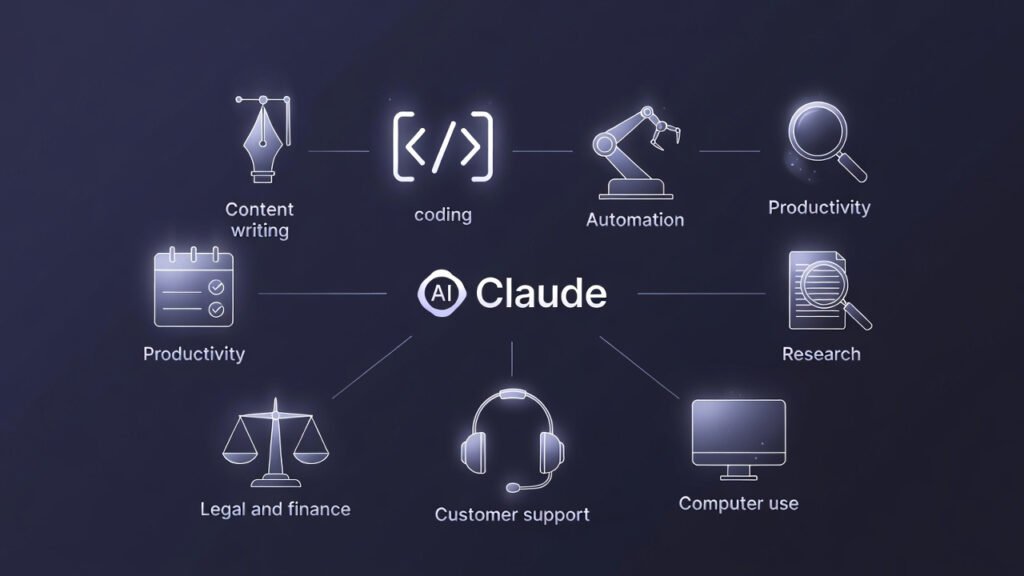
Claude consistently delivers strongest results across eight categories: long-form content writing, code generation and review, document analysis and summarization, AI agent workflows and automation, customer support operations, financial and legal document processing, business productivity and team communications, and research synthesis. Claude is especially powerful for businesses that handle large volumes of written content — consultants, agencies, coaches, legal firms, and online businesses dealing with proposals, contracts, and client communications.
Q9. How do I connect Claude AI to my existing business tools?
Claude integrates natively with Google Workspace, Slack, Microsoft Teams, Notion, Dropbox, and over 50 additional tools through Anthropic’s Model Context Protocol (MCP). You can connect Claude to your calendar, files, and the platforms your team already uses daily — enabling it to operate as an embedded team member rather than a separate, disconnected chat window.
Q10. How long does it take to see ROI from Claude AI in a business?
Most businesses report measurable time savings within the first two weeks of structured use — provided they move beyond basic prompting and build repeatable workflows. The businesses that see the fastest ROI are those that identify their single highest-volume, most time-intensive task and build a Claude workflow around it first. Expanding from there systematically — rather than trying to deploy Claude everywhere at once — is what separates early wins from sustainable productivity gains.
Q11. Can Claude AI replace employees in my business?
No — and framing it that way will lead to poor implementation decisions. Claude is most effective when deployed as a force multiplier for your existing team — handling the volume, speed, and consistency of execution so your people can focus on judgment, relationships, and strategy. The businesses seeing the strongest results are not replacing roles — they are giving each person capabilities that previously required an entire additional headcount. Think less about replacement and more about what your team could achieve if the operational burden was cut in half.
Q12. What is Claude Code and does my business need it?
Claude Code is Anthropic’s terminal-based agentic coding tool — designed for developers and technical teams who want Claude operating directly inside their development environment. It writes, reviews, debugs, and refactors code across complex codebases autonomously. For non-technical business users, Claude Cowork is the more relevant tool — it lives on your desktop, reads your files, builds documents and spreadsheets, and completes tasks in plain language without any coding required. If your team does not code, Claude Cowork is your entry point. If they do, Claude Code is one of the most powerful developer tools available in 2026.
Q13. What is Claude for Small Business and how is it different from Claude Team?
Claude for Small Business is a package of 15 pre-built agentic workflows, 15 reusable skills, and direct connectors to eight tools — QuickBooks, PayPal, HubSpot, Canva, DocuSign, Google Workspace, Microsoft 365, and Slack. It launched May 13, 2026, and is available as a toggle inside Claude Cowork on any Team or Enterprise plan. Claude Team is the underlying plan; Claude for Small Business is the SMB workflow layer on top of it. You do not need a separate subscription — enabling it is a configuration step within Cowork. → Claude for Small Business — anthropic.com
Q14. How do I connect Claude to my internal business systems?
There are two routes. For tools with native connectors — Google Workspace, Slack, Microsoft 365, HubSpot, QuickBooks, and others — you connect directly through the Claude plugin marketplace inside claude.ai or Cowork. For proprietary internal systems or tools without a native connector, the Claude API and Model Context Protocol (MCP) allow a developer to build a custom integration. Most SMB teams can connect their entire stack through native connectors without any development work. → MCP connector directory — docs.anthropic.com → Claude plugin marketplace — anthropic.com/learn/claude-for-work
Q15. Is Claude better than ChatGPT for business use?
Neither is universally better. Claude leads on long-document analysis, writing quality, instruction-following, and desktop automation via Cowork. ChatGPT leads on image generation, voice mode, and multi-tool integrations. The practical split most teams use: Claude for writing, document review, and complex reasoning; ChatGPT for visual content and tasks requiring real-time web data. Many teams that rely heavily on AI use both. → Compare Claude plans — claude.com/pricing
Q16. Will Claude use my business data to train its models?
No — on Team and Enterprise plans, Anthropic does not train Claude on your inputs or outputs. This applies to all paid organisational tiers. On Free and Pro individual accounts, an opt-in training model was introduced in September 2025 — you must actively opt out if you do not want your conversations used for training. For any business handling client data or confidential information, Team plan or above is the correct choice. → Claude data privacy FAQ — support.claude.com
Q17. What does Claude Enterprise include that Team does not?
Enterprise adds the governance layer that regulated industries require: full SAML/SCIM, audit logs, custom data retention with per-project overrides, Zero Data Retention for Claude Code, HIPAA-readiness, BAA availability, data residency options, and a named Customer Success Manager. Usage is also billed differently — Enterprise charges API rates on top of the seat fee rather than bundling usage. For most teams under 150 people in non-regulated industries, Team is sufficient. Enterprise becomes necessary when your industry requires compliance controls, audit trails, or custom data handling agreements. → Claude Enterprise plan details — support.claude.com
Q18. Can I use Claude AI for Business Development doing company research automation and save results to a CRM or strategy system?
Yes — this is one of Claude’s strongest BD and strategy use cases. With the HubSpot MCP connector, Claude can research a target company, score it against your criteria, and write the structured record directly into your CRM. With the Google Drive connector, it can save summaries, risk assessments, and opportunity briefs to a defined folder automatically. For recurring research (weekly competitive intelligence, prospect monitoring), Cowork’s scheduled tasks run the entire workflow on a cadence you define — without you touching a browser. → Claude Cowork scheduled tasks — support.claude.com
Q19. Can I have a personal and business Claude account?
Yes. Claude does not force you to choose one account for everything. A personal Free, Pro, or Max plan and a company’s Team or Enterprise workspace are separate memberships, usually tied to different email addresses or sign-in methods. Many professionals keep a personal Pro subscription for individual work and are separately invited into their employer’s Team or Enterprise workspace using their work email — the two do not merge, and usage on one does not count against the other’s limits.
Q20. Can I change my Claude account from personal to business?
Not as a direct in-place conversion. A personal Claude account (Free, Pro, or Max) stays a personal account. To move to business use, you either purchase a Team or Enterprise plan and set it up as its own workspace, or ask your company’s existing Claude admin to invite your work email into their workspace. Your conversation history and Projects on the personal account do not transfer automatically — plan for a short re-setup of Projects and connectors under the business workspace rather than expecting a seamless upgrade.
Q21. Are Claude and ChatGPT the same company?
No. Claude is built by Anthropic, and ChatGPT is built by OpenAI — two separate AI companies with different founders, different funding, and different model architectures. Several of Anthropic’s founders previously worked at OpenAI before starting Anthropic in 2021 with a specific focus on AI safety, which is part of why the two products differ in tone, caution, and enterprise positioning even though both are general-purpose AI assistants.
Q22. What businesses use Claude AI?
Claude is used by organizations ranging from solo consultants to Fortune 500 enterprises. Verified deployments include Deloitte, which rolled Claude out to more than 470,000 employees across 150 countries — Anthropic’s largest enterprise deployment to date; DoorDash, which runs Claude Haiku across its customer support voice infrastructure with sub-2.5-second response latency; and Palo Alto Networks, which integrated Claude across 3,000 developers and reported a 20–30% increase in feature development velocity. See the Real Business Results section above for sourced details on each.
Q23. Why is Claude being blacklisted by some companies?
This usually isn’t about Claude specifically — it’s standard IT and procurement caution around any AI tool that hasn’t gone through a company’s security and compliance review yet. Organizations with strict data-governance policies often block all consumer AI tools, including Claude, ChatGPT, and Gemini, by default until legal and IT sign off on a paid, business-tier plan with the right data-handling and admin controls. If your company blocks Claude, the fix is usually to request the Team or Enterprise plan through IT rather than using a personal account — Enterprise includes SSO, audit logs, and data-retention controls built for exactly this kind of review.
Q24. Why are people switching from ChatGPT to Claude?
The most common reasons business users give: stronger performance on long documents and large context windows, writing output that needs less editing to sound less “AI-generated,” and Claude Cowork and Projects making it easier to organize ongoing client or team work without rebuilding context every session. It isn’t a universal switch — teams heavy on image generation or ChatGPT’s plugin ecosystem often keep both tools. See our full Claude vs. ChatGPT for Small Business comparison for a workflow-by-workflow breakdown.