If you want to incorporate Generative AI in SME workflows, there are somethings you need to understand to be able to make better decisions. The first is (Retrieval-Augmented Generation) RAG.
RAG: making Generative AI answer from your own files
Retrieval-Augmented Generation (RAG) is a simple idea: before the AI writes an answer, it first looks up information in your documents. It grabs a few passages that match the question, then uses those passages to draft the reply. This keeps answers tied to your sources, cuts down on made-up details, and updates automatically when your files change.
Why RAG matters for SMEs
With RAG, your chatbot can point to the exact policy or memo it used, so messages stay on brand and on policy. For example, if a staff member asks about leave rules, the system pulls your HR policy and drafts a clear answer that matches your wording—not the internet’s.
What a vector database is
A vector database is a special kind of filing system that stores the “meaning” of each item, not just the exact words. Before saving, the computer turns each item—like a sentence, product description, or image caption—into a numeric “fingerprint” that represents its meaning. When you search, it compares fingerprints and returns the closest matches.
Why this helps everyday searches
Because it matches by meaning, the system can find “returns and reimbursements” even if you asked about “refunds.” You don’t have to guess the exact wording used in a document; the database understands that these terms are related and brings back the right passages.
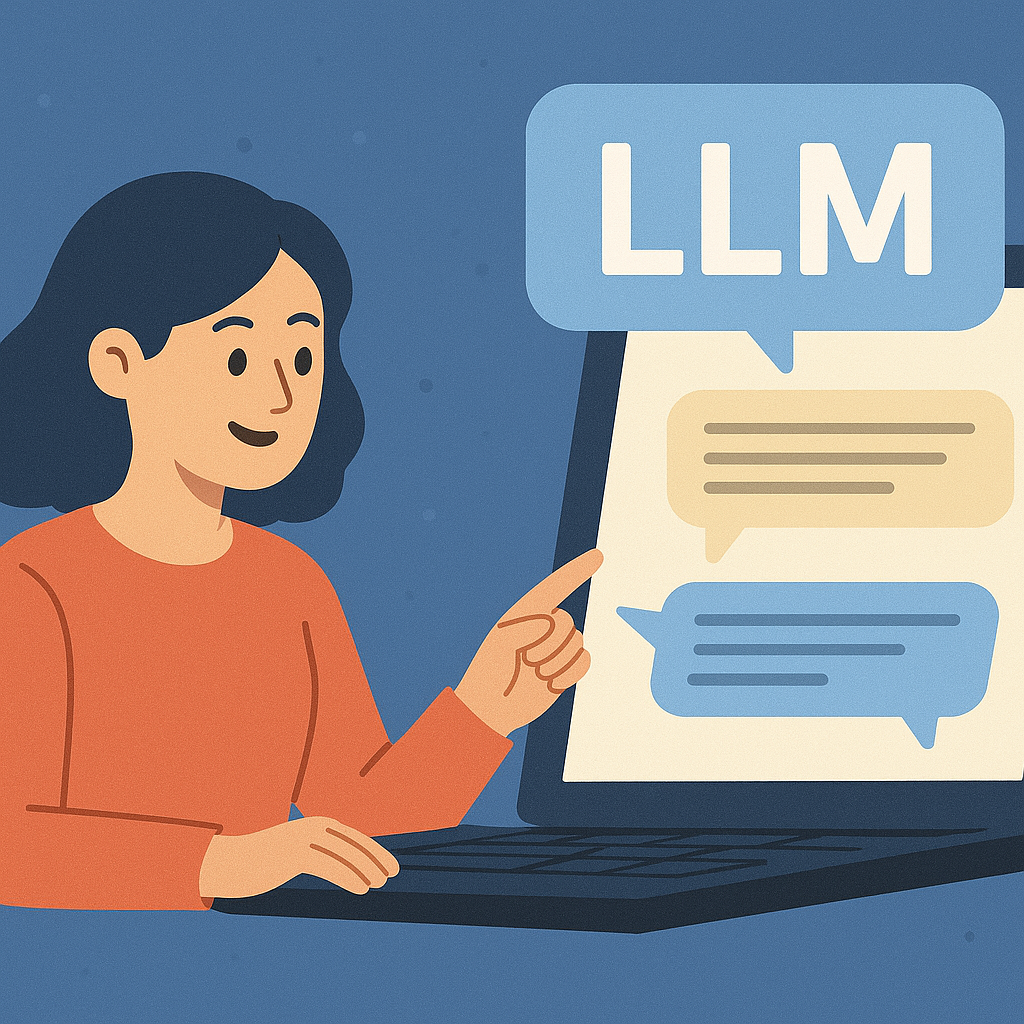
What is a Large Language Model (LLM) and why does it matter for Gen AI in SMEs?
A large language model is a kind of “foundation model” trained on huge amounts of text. When you use it, it predicts the next word in a sentence, which lets it write paragraphs, answer questions, and follow instructions. In business terms, an LLM is a flexible engine behind many Generative AI features in the tools you already use.
Does an LLM “understand” language?
People sometimes say LLMs understand language. A better way to say it is: they capture patterns so well that the results feel human. They do not think like a person. They are strong because they can spot relationships across millions of examples and then assemble new responses that fit your prompt.
How LLMs stay grounded in your documents
You can connect an LLM to your own files using a method called RAG (Retrieval-Augmented Generation). The system first looks up relevant passages from your documents, then uses those passages to write the answer. This reduces guesswork and keeps replies tied to your policies and data.
Embeddings and the vector database
To look things up by meaning (not just exact words), the system turns each item—like a sentence or product spec—into a list of numbers called an embedding. A vector database stores these number lists and quickly finds passages with similar meaning. That way, if you ask about “refunds,” it can also find text that says “returns and reimbursements.”
Why LLMs matter for everyday work
LLMs act like a platform. The same engine can power chat, search, help desks, document editors, and simple software agents that take small actions. You can also provide a short “context window” with recent messages, policy snippets, or product details so the answers stay on topic and in your brand’s voice.
Where you will see value
- Draft and refine customer emails or knowledge-base articles inside your existing apps.
- Power Q&A over your handbooks and SOPs with RAG, using embeddings and a vector DB for accurate citations.
- Enable light automation, for example agents that create tickets or summarize a call and schedule follow-ups.
Quick example
Your support portal runs an LLM with a context window that includes the latest refund policy. A customer asks about a return. The system retrieves the policy via embeddings, cites the correct clause, and proposes a reply for the agent to approve. This is practical generative AI at work.
What to do next
Choose one high-volume text workflow, such as drafting support replies. Configure an LLM with RAG over 15 to 30 key documents. Track two metrics for two weeks: time to first draft and the percent of drafts approved without edits.
How does Generative AI actually work?
Generative AI, or Gen AI, learns from examples, then uses what it learned to create new content. The learning phase is called training. The creating phase is called inference. During training, the system ingests large amounts of text, images, or audio and discovers patterns. During inference, it uses those patterns to predict the next word, pixel, or sound so it can produce a draft that looks natural.
Modern Gen AI relies on transformers, a model design that excels at handling long sequences such as paragraphs or transcripts. The core idea is attention. Attention lets the model decide which parts of the input matter most at each step. For example, if you ask a question about a refund, the model pays more “attention” to words about returns and policy rather than unrelated phrases. This mechanism makes outputs more coherent and on topic.
Your instructions to the model are called a prompt. Small prompt changes can shift the result, which is why prompting matters. You can also adjust temperature, a setting that controls randomness. A lower temperature gives safer, more predictable answers. A higher temperature allows more diverse wording, which can be helpful for creative brainstorming.
Gen AI can be multimodal AI. That means it can work with different types of inputs and outputs, such as text, images, audio, or even short video. You might paste a product photo, add a few details, and ask the system to write a caption. Or you might upload a short clip and ask for a text summary of the key moments.
- Simple view: train to learn patterns, then run inference to generate new content that follows those patterns.
- Why transformers matter: attention helps the model focus on the right words or pixels at the right time.
- Why prompting matters: clear instructions and a suitable temperature lead to clearer results.
- Where multimodal helps: combine text with images or audio to explain, label, or summarize faster.
Quick example
You paste a 2,000-word policy into a tool and ask, “Summarize this for store managers and list three actions.” The transformer uses attention to focus on lines about store operations, runs inference to produce a clear summary, and gives an action list you can share.
What to do next
Pick a single task and run the same prompt three times, once at a low temperature, once in the middle, and once higher. Compare clarity and creativity. Save the version that fits your purpose and reuse that prompt in a small playbook.
What is RAG (Retrieval-Augmented Generation) and when should I use it as an SME owner?
RAG stands for retrieval augmented generation. In plain English, it is a way to make generative AI, or Gen AI, look up facts from your own documents or databases at the moment it answers a question. By pulling verified information first, then generating the response, RAG reduces guesswork and gives you answers with citations you can trust.
Why RAG helps
RAG connects the model to your knowledge so it does not rely only on what it learned during pretraining. When the system can retrieve the latest policy, a price list, or a contract clause, it writes answers that match your truth rather than a general internet view.
When to use RAG versus fine-tuning
- Choose RAG when content changes often, such as policies, product specs, and FAQs. It is also the right choice for proprietary content that must remain private, because your data stays in your retrieval layer.
- Choose fine-tuning when you want the model to adopt a specific tone or learn stable domain patterns, such as your brand voice or medical note style. Fine-tuning changes the model’s style. RAG changes what facts it cites.
The basic RAG flow in simple steps
- Chunk: split long documents into small, meaningful passages.
- Embed: convert each passage into numbers called embeddings. These are math fingerprints that capture meaning.
- Store: place the embeddings in a vector database, which is built for similarity search.
- Retrieve: at answer time, search the vector DB to find the most relevant passages.
- Generate with citations: pass those passages to the model so it writes an answer and includes the source links.
Quick example
A support agent asks, “What is the return window for accessories?” RAG searches your handbook and finds the paragraph that says 14 days for unopened items. The model then answers in one sentence and adds a citation pointing to the exact page. This is retrieval augmented generation working as a safety net.
What to do next
Pick one high-value document set, such as your handbook or top 30 FAQs. Chunk the files, create embeddings, and load them into a small vector database. Turn on RAG for a single workflow, for example policy Q&A, and measure two things for two weeks: time to first answer and the percent of replies with correct citations.
Do I need to fine-tune a model or can I just prompt it?
You can get far with prompting alone. Prompting means you give clear instructions and examples so generative AI, or Gen AI, produces what you need. This is fast for prototyping because there is no extra training step. You try a few instructions, refine the wording, and save the best prompts as team templates. This is prompt engineering in simple terms.
When prompting is enough
- You need quick drafts for emails, summaries, or product copy.
- The task changes often and you want flexibility without setup.
- You can pair prompting with RAG so answers pull facts from approved documents before the model writes.
When fine-tuning adds value
Fine-tuning teaches the model your tone, format, or industry style using a small, curated dataset. Think of it as customization that reduces rework. It is helpful for domain adaptation, for example medical notes, legal memos, or a strict brand voice. Fine-tuning can also improve accuracy on repetitive, well-scoped tasks such as classifying support intents or drafting a standard proposal section.
Cost and maintenance trade-offs
- Prompt-only: lower cost to start, little maintenance, quick to iterate.
- Fine-tune: higher setup cost and periodic updates when policies or style guides change. Plan for evaluation and version control.
- Many teams use both: RAG supplies fresh facts. A fine-tuned model applies your voice and structure.
Quick example
A retailer wants consistent product descriptions. Start with prompting and RAG over spec sheets to ensure facts are correct. If editors keep fixing tone and layout the same way, gather 100 strong examples and fine-tune so the model adopts the exact style. Edit time falls and consistency rises.
What to do next
Run a two-week trial with prompt templates. Track edit time and quality scores. If the same fixes appear repeatedly, prepare a small training set and fine-tune. Keep RAG in place for up-to-date facts, then re-measure edit time and approval rate.
What data do I need for my generative AI bot, and how “clean” must it be?
Start with the documents you already trust. Good inputs make generative AI, or Gen AI, more useful because the system has reliable facts to work with.
Think of sources of truth as the few places that hold the final word. Policies, SOPs, product sheets, pricing catalogs, and approved FAQs are strong starters. If you plan to use RAG, these files will be chunked and converted into embeddings, then stored in a vector DB for quick lookup during answers.
Data readiness basics
- Format: keep files in readable formats such as PDF, DOCX, or HTML. Avoid scans that are hard to parse.
- Deduplication: remove near-duplicates so the model sees one clear version.
- Redaction: hide names, account numbers, or other sensitive details before indexing.
- Versioning: label documents with dates and status so RAG pulls the current one.
Access control
Apply least privilege. Give staff and systems access to the minimum data needed. Use groups and roles, such as “Support Agents” or “Finance Leads,” so permissions are easy to manage.
Quick example
You choose twenty SOPs, remove outdated copies, redact private customer details, and store the cleaned set as your support knowledge base. RAG then answers agent questions using this governed library.
What to do next
List five documents that answer most daily questions. Clean them once for data quality, put them under light document governance with version tags, and restrict access to the right teams. Revisit monthly to retire stale content.
How do I keep it my data safe with Generative AI in SME? (security, privacy, IP, copyright)
Security and privacy come first. Treat Gen AI like any other business system that handles sensitive information and apply simple controls from day one.
Core safeguards
- Data privacy and PII handling: label personal data and keep it out of prompts unless required. Mask or tokenize where possible.
- Data residency: confirm where your vendor stores and processes data. Choose a region that meets your compliance needs.
- Vendor data-use policies: select providers that offer a “no training on my data” option. This prevents your content from being used to improve their public models.
Copyright and IP awareness
Keep a record of your sources. For images and text created with Gen AI, use internal guidelines that define which outputs can be published as is and which need human review. Follow the platform’s terms of service, especially for commercial use.
Operational controls
- Secret handling: never paste API keys or passwords into prompts. Store secrets in a vault.
- Logging and audit: keep logs of who asked what, what source documents were used, and which outputs were approved.
- Admin controls: enforce role-based access, approval workflows, and content filters for risky topics.
Quick example
A legal team enables a private Gen AI workspace with logging turned on and data residency set to the local region. They block external data sharing, redact client names before indexing, and require attorney approval before any AI-drafted clause is sent to a counterparty.
What to do next
Create a one-page policy that covers PII handling, data residency, and vendor settings. Turn on “no training on my data,” set up role-based access, and add an approval step for any external message drafted by the system.
What are hallucinations and bias? How to prevent “bad answers” with Generative AI in SME environment?
Generative AI, or Gen AI, can sometimes produce confident answers that are wrong. These are called hallucinations. They happen because the model is predicting likely words rather than verifying facts. Bias occurs when outputs favor or exclude groups due to imbalances in training data.
How to reduce hallucinations
- RAG with citations: retrieve facts from approved documents before answering and show source links.
- Lower temperature: reduce randomness so the model sticks closer to the evidence.
- Human in the loop: add an approval step for sensitive replies, such as pricing or legal notes.
How to manage bias
- Guardrails: block terms or topics that violate policy and steer the model to neutral language.
- Fairness checks: review samples across customer types and regions to spot skew.
- Domain guidelines: provide clear instructions and examples so the model mirrors your standards.
Make trust visible
- Show a simple confidence indicator, for example high, medium, or low.
- Always display source links when answers draw from internal content.
Quick example
An agent asks for a refund policy. The system runs RAG, inserts the paragraph from the latest handbook, lowers temperature for a precise tone, and adds a link to the policy page. A supervisor can approve before the reply is sent.
What to do next
Add RAG and citations to one workflow, for example policy Q&A. Lower temperature and require approval for medium and low confidence answers. Track the rate of corrected replies for two weeks and adjust guardrails where issues occur.
How do I evaluate quality and reliability of my Generative AI output?
Treat Gen AI like any business system. Define metrics up front, test regularly, and keep a record of results so you can improve over time.
Set task-level KPIs
- Accuracy: are the facts correct and aligned with the source.
- Relevance and coverage: does the answer address the full question.
- Tone: does it follow your brand style and reading level.
Build a light evaluation process
- Golden test sets: small collections of prompts with approved answers.
- Eval harness: a simple script or tool that runs the same prompts after each change.
- A/B with human review: compare two versions and record which one wins and why.
Run safety checks
- Red-teaming: probe for edge cases and policy violations.
- Jailbreak tests: try prompts that bypass instructions and confirm they fail.
- Harmful output filters: enable platform filters for risky content and add your own rules.
Quick example
Before launch, a support team creates 100 test tickets with reference answers. Each week the system runs these through the current setup, records accuracy and tone scores, and flags any drop for review.
What to do next
Pick one workflow and draft a 50-prompt golden set with correct answers and sources. Schedule a weekly run, review misses with the team, and adjust prompts, RAG sources, or guardrails. Keep a simple dashboard for accuracy, coverage, and approval rate.